Scrinium vs Apple Notes: what the default gets right, and where it stops
Apple Notes is free, instant, and end-to-end encrypted on one condition. It is also Apple-only, has no Markdown, and is hard to leave.
The short answer
Apple Notes is free, instant and deeply integrated, and it is end-to-end encrypted on one condition: Advanced Data Protection must be enabled, must be available in your country and must stay on. Without it Apple holds the keys, so the content is encrypted at rest but reachable by Apple under the conditions it documents. There is no Markdown, no fenced code, and export is PDF or print rather than a file you can keep. Scrinium encrypts each note under its own 32-byte key before it leaves the device, derives the vault key with Argon2id (3 iterations, 64 MiB of memory), seals everything with XChaCha20-Poly1305 and never persists key material. It runs in any browser, on iOS and Android, and stores Markdown you can export and open anywhere. Keep Apple Notes for shopping lists and photos of parking spots; use Scrinium for the notes you intend to keep and think in.
Scrinium vs Apple Notes · Reviewed October 2026 · 4 min read
Choose Apple Notes if…
You live entirely inside Apple’s ecosystem, your notes are short, and you have Advanced Data Protection switched on.
Choose Scrinium if…
You want Markdown, a real desktop-class editor, Windows and Android access, or encryption you do not have to remember to enable.
Apple Notes vs Scrinium at a glance
| Criterion | Apple Notes | Scrinium |
|---|---|---|
| Content encrypted end to end | Partly: End to end only with Advanced Data Protection enabled and available | Yes: Yes — encrypted on your device before it syncs |
| Zero-knowledge (the service cannot read notes) | Partly: Only under Advanced Data Protection; otherwise Apple holds the keys | Yes: Yes — keys never leave your device |
| Free sync across all your devices | Yes: Free with iCloud (against a 5 GB shared allowance) | Yes: Yes — unlimited notes, devices, and sync |
| Markdown that renders inline as you type | No: Rich text only — no Markdown, no code blocks, no tables worth the name | Yes: Yes — Typora-style WYSIWYG, no preview pane |
| Export in an open format | Partly: PDF or print-based export; Markdown needs third-party tools | Yes: Yes — Markdown, plaintext or re-encrypted |
| Open source | No: Closed, and only on Apple platforms | No: No — closed source, but the threat model and crypto design are published in full |
Competitor products change. These notes were reviewed in October 2026 — check the vendor’s own site for current pricing, limits, and features before you decide.
Is Apple Notes end-to-end encrypted?
Apple Notes inherits iCloud’s security model, which is good and conditional. With Advanced Data Protection switched on, your notes are end-to-end encrypted and Apple cannot read them. Without it — the default — the keys are held by Apple, which means the content is encrypted at rest but available to Apple in the circumstances Apple documents.
There are second conditions. Advanced Data Protection requires two-factor authentication, needs to be enabled per account, and is not available in every country: Apple has withdrawn it in some jurisdictions rather than comply with orders to weaken it. A privacy guarantee that a user can only claim inside three preconditions is not the same as one baked into the product.
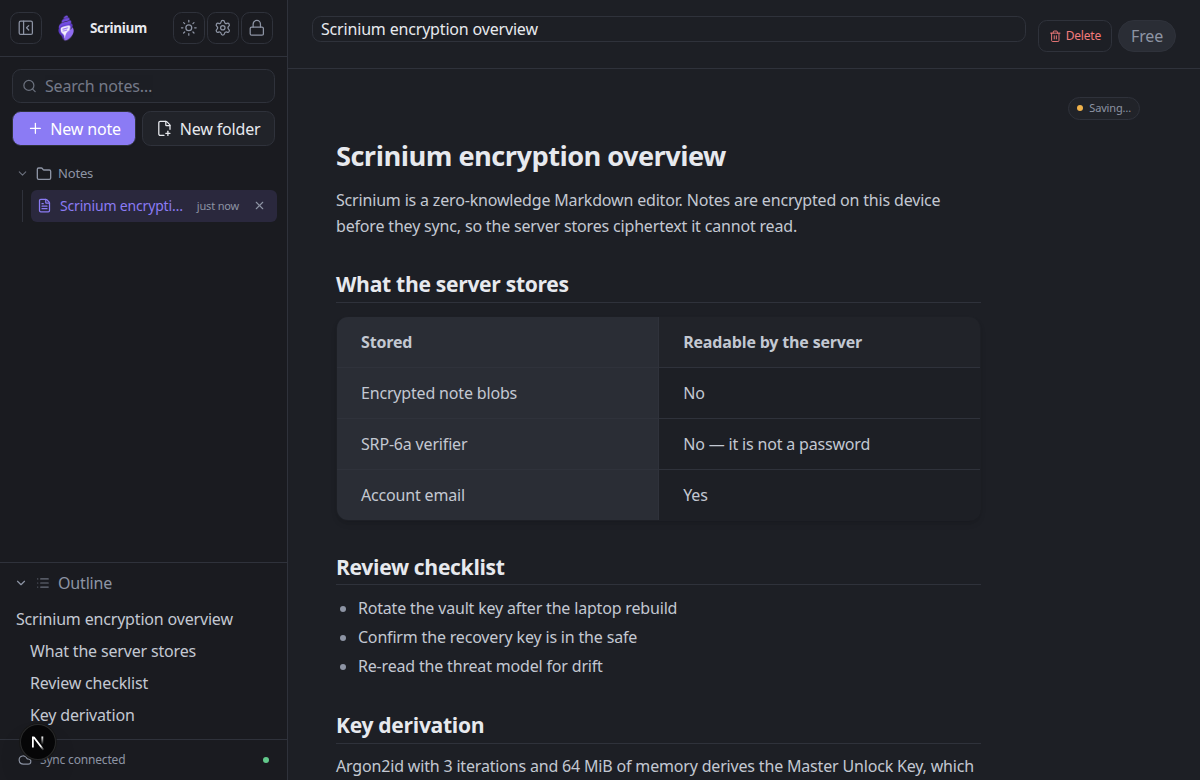
Scrinium has no switch to forget. Notes are encrypted on your device before they sync, the keys never leave the device, and the server is architecturally unable to read a note — on iOS, Android, Windows, or a borrowed laptop.
Scrinium’s encryption, in specifics
- Key derivation
- Argon2id, 3 iterations, 64 MiB of memory, 16-byte salt
- Key hierarchy
- 32-byte keys: Master Unlock Key → Account Key → Vault Key → per-note Note Key
- Encryption
- XChaCha20-Poly1305 AEAD with a 24-byte nonce on every note, title and attachment
- Recovery
- BLAKE2b-256 recovery key that unwraps the Account Key without the password
- Limits
- 5 MiB per encrypted note, 5 MiB per attachment, last 30 revisions inside the blob
Can Apple Notes read your notes?
Apple Notes is the purest expression of a format you cannot really hold. The store is a proprietary database; the content comes out as a PDF, or as an HTML/attributed-string approximation via third-party exporters, and formatting, links, and attachments do not survive the trip cleanly.
There is also a platform veto. Notes is available on Apple platforms and, in a reduced way, through iCloud on the web. If your next laptop runs Windows or your next phone runs Android, the notebook does not come with you.
Scrinium stores Markdown. Export the vault as Markdown, take it to any editor, and the notes survive intact — headings, tables, code fences, and all. The app runs in any browser, so the only thing your notes depend on is the file format.
Does Apple Notes have a Markdown editor?
Apple Notes is a good quick-capture tool. Type, ready; drag a photo in, done; scan a document, done. It is not a writing environment: no Markdown, weak code handling, no real table support, no version history, and a formatting model that fights you the moment you want structure.
Scrinium is built for the notes you come back to. Inline Markdown rendering while you type, code fences with syntax highlighting, tables, task lists, math and diagrams, folded sections, and local full-text search that runs over decrypted content in memory and does not touch the server.
What does Apple Notes cost?
Apple Notes is free, with sync counting against the 5 GB iCloud allowance that every Apple service shares. For text notes the practical cost is close to zero.
Scrinium is free too, and unlimited: notes, encrypted sync, and devices are not metered, and no storage allowance is consumed by the notes themselves. Paid tiers add features rather than capacity, so the price of entry stays zero on any platform.
When is Apple Notes the better choice?
Keep Apple Notes for what it is genuinely best at: a scrapbook. Shopping lists, a photo of a parking spot, a phone number on a call, quick shared notes with family through iCloud sharing. It is instant, offline, and integrated with the OS in ways no web app matches.
It is also the right answer for people who want no account, no setup, and no decisions. If the note is going to be deleted next week, the default tool is the correct tool.
When is Scrinium the better choice?
Choose Scrinium for the notes you intend to keep and to think in: research, drafts, journals, meeting notes, code snippets, anything with structure. Markdown gives you a format that survives contact with other tools, and cross-platform sync means the note you wrote on the train opens on the office machine.
It is also the honest choice when your devices are mixed, when you cannot rely on an encryption setting being present and enabled, or when the note is sensitive enough that “Apple could technically access this under narrow documented conditions” is a sentence you would rather not have in your head.
How do I move my notes from Apple Notes to Scrinium?
Apple Notes does not export Markdown, so migration is the fiddly part. The practical routes are exporting to PDF or HTML through the app, or using a third-party converter that reads the Notes store directly and writes Markdown files.
Once you have Markdown files, importing them into Scrinium is a single step, and attachments can be re-added with the original media you still have on the device.
Questions people ask
Are Apple Notes end-to-end encrypted?
Only with Advanced Data Protection enabled. By default they are encrypted at rest with keys Apple manages. Advanced Data Protection requires two-factor authentication, must be turned on per account, and is not offered in every country.
Is there an encrypted alternative to Apple Notes that works on Windows and Android?
Yes. Scrinium runs in any browser, syncs with zero-knowledge encryption, and is available on the same free tier on every platform — no platform-specific vault and no separate conversion of your notes.
Can Apple Notes do Markdown?
No. Apple Notes is rich text only, with no Markdown syntax, no fenced code blocks with syntax highlighting, and no Markdown export. Scrinium renders Markdown inline as you type and stores the Markdown itself.
Free, unlimited encrypted sync. No card, no note cap — and the server cannot read a word of it.
Keep reading
Apple Notes is a trademark of its owner. Scrinium is not affiliated with Apple Notes, and nothing here implies endorsement in either direction.