Why your Notion notes aren’t private — and what to use instead
Notion is a database-shaped workspace that can read everything you write. Scrinium is the opposite bet: a Markdown notebook where the server only ever holds ciphertext.
The short answer
Notion is a workspace, not a private notebook. Pages, databases and comments live in Notion’s cloud, encrypted with keys Notion manages, and there is no end-to-end encryption for page content — the service can reach the plaintext for support, for abuse investigations or in response to a legal request. That is a reasonable trade for a shared workspace and the wrong one for a private journal. Scrinium is the other model: a Markdown notebook where each note is encrypted on your device under its own 32-byte key, wrapped by a vault key derived with Argon2id (3 iterations, 64 MiB of memory) that never leaves your browser. The server stores ciphertext and an SRP verifier, so it cannot read a word. Both products export Markdown; only one keeps the operator out of your notes. Scrinium’s free tier is unlimited notes, unlimited encrypted sync and unlimited devices.
Scrinium vs Notion · Reviewed October 2026 · 4 min read
Choose Notion if…
You want databases, kanban views, wikis, permissions, and real-time collaboration with other people.
Choose Scrinium if…
You want your own notes to be unreadable by the service that stores them, in a real Markdown editor.
Notion vs Scrinium at a glance
| Criterion | Notion | Scrinium |
|---|---|---|
| Content encrypted end to end | No: No end-to-end encryption for page content | Yes: Yes — encrypted on your device before it syncs |
| Zero-knowledge (the service cannot read notes) | No: No — encryption keys are managed by Notion | Yes: Yes — keys never leave your device |
| Free sync across all your devices | Partly: Free plan is limited; collaboration drives the paid tiers | Yes: Yes — unlimited notes, devices, and sync |
| Markdown that renders inline as you type | Partly: Markdown-style shortcuts over a block tree, not a Markdown editor | Yes: Yes — Typora-style WYSIWYG, no preview pane |
| Export in an open format | Partly: Markdown and CSV export — databases and layouts degrade | Yes: Yes — Markdown, plaintext or re-encrypted |
| Open source | No: Closed service | No: No — closed source, but the threat model and crypto design are published in full |
Competitor products change. These notes were reviewed in October 2026 — check the vendor’s own site for current pricing, limits, and features before you decide.
Is Notion end-to-end encrypted?
Notion encrypts your data at rest with keys it manages, and in transit with TLS. That protects you from a stolen disk. It does not protect you from the service: because Notion holds the keys, the plaintext of your pages is reachable by the company — for support, for abuse investigations, in response to a legal request, or by anyone who compromises production systems.
There is no end-to-end or zero-knowledge option for page content, and no “encrypt this page” toggle. A password pasted into a Notion page sits in the page body like any other text.
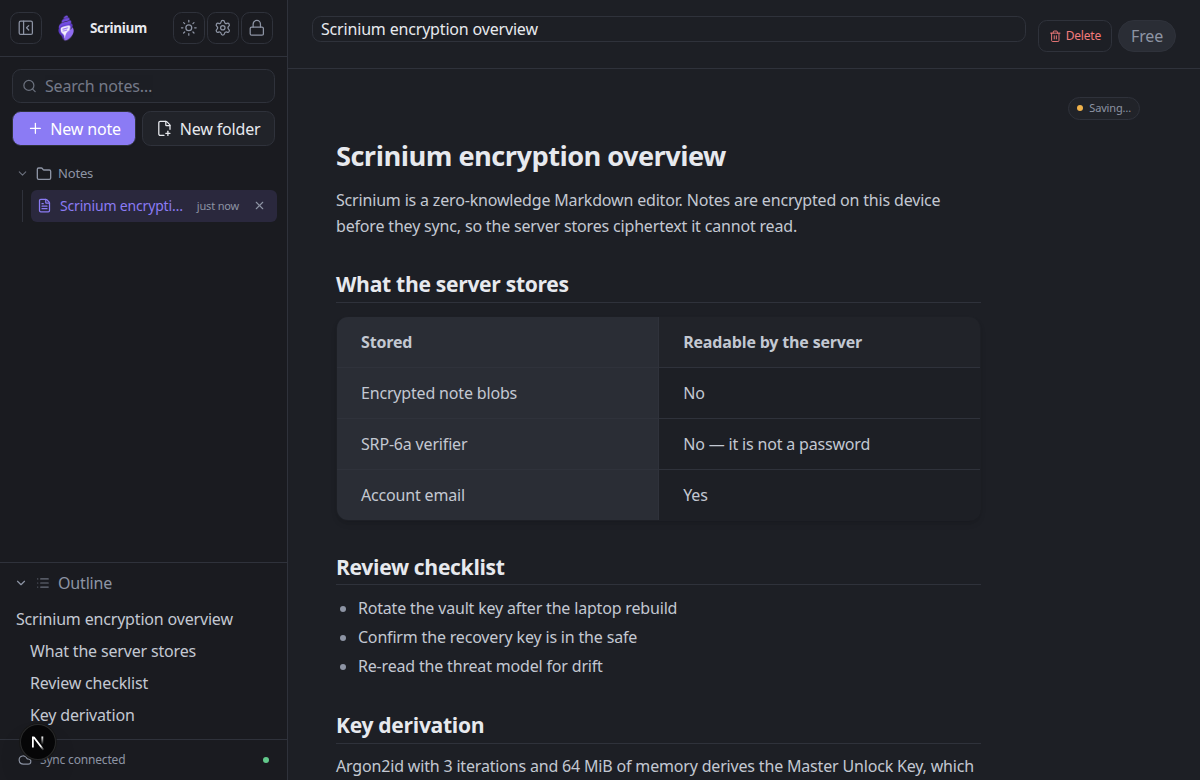
Scrinium inverts the model. A note is encrypted on your device under its own key before it is synced anywhere. The server stores ciphertext, a login verifier, and an email address — it never receives your password, a decryption key, or your plaintext, so it cannot read your notes even if it wanted to.
Scrinium’s encryption, in specifics
- Key derivation
- Argon2id, 3 iterations, 64 MiB of memory, 16-byte salt
- Key hierarchy
- 32-byte keys: Master Unlock Key → Account Key → Vault Key → per-note Note Key
- Encryption
- XChaCha20-Poly1305 AEAD with a 24-byte nonce on every note, title and attachment
- Recovery
- BLAKE2b-256 recovery key that unwraps the Account Key without the password
- Limits
- 5 MiB per encrypted note, 5 MiB per attachment, last 30 revisions inside the blob
Can Notion read your notes?
Everything in Notion lives in Notion. Pages, databases, comments, and uploads are tied to a workspace in a vendor cloud, and your access depends on that account continuing to exist on terms you do not control.
Export exists and works, within limits. Simple pages come out as clean Markdown; relational databases flatten into CSV, synced blocks and nested toggles lose their behaviour, and anything built out of Notion-specific layout has to be rebuilt. Leaving is possible, but it is a project.
In Scrinium the notes are plain Markdown. Export the whole vault as Markdown, or as an encrypted archive if you would rather move it while keeping it sealed. Nothing about your notes depends on Scrinium continuing to exist.
Does Notion have a Markdown editor?
Notion is not a Markdown editor. It understands Markdown-ish shortcuts while you type, but the document underneath is a block tree, and export is a translation rather than a save. Headings, code, and tables are blocks with their own behaviour, which is exactly why the database features are so good and why the file you get out is not the file you wrote.
Scrinium is a Markdown editor first. Headings, lists, task lists, tables, fenced code with syntax highlighting, blockquotes, images, math, and diagrams render inline as you type, with no preview pane and no block model between you and the text.
What does Notion cost?
Notion is free for individual use with limits on file uploads and history, then moves to per-seat plans for guests, larger uploads, and admin controls, with the AI features as a separate line item.
Scrinium’s free tier is not a trial: unlimited notes, unlimited encrypted sync, unlimited devices. Pro ($5/mo) and Supporter ($10/mo) add advanced features — encrypted attachments, version history, burner notes, a graph view, math and diagrams — never a cap on how many notes you keep. See pricing for the full list.
When is Notion the better choice?
If your notes are really a shared workspace — a team wiki, a project tracker, a CRM-shaped database — Scrinium is not trying to be that, and you should not switch. Notion’s relational model, real-time collaboration, comments, and permission model are genuinely excellent and no encrypted Markdown notebook replaces them.
The same goes for anything published: public documentation, a content calendar in a table, a doc edited by twelve people. Those are collaborative surfaces, and the right answer there is a service that everyone can edit.
When is Scrinium the better choice?
The calculus changes for the notes you keep for yourself: research, journals, drafts, client context, half-formed thinking — anything you would not read out on a train. With a private notebook the answer to “who can read this?” is “nobody but me”, and it stays true through breaches, acquisitions, and policy changes you would never be told about.
Scrinium also avoids the usual privacy tax. You keep inline Markdown editing, instant local search over decrypted content, keyboard-first navigation, and sync that works on any device with a browser — no worse an editor for being encrypted.
How do I move my notes from Notion to Scrinium?
Notion exports a workspace as Markdown and CSV from Settings → Export. Pages arrive as Markdown files with asset folders; databases arrive as CSV.
Create a Scrinium vault, import the Markdown, and the files are encrypted on the way in. Leftover CSVs are worth skimming before you delete anything — they are often the only copy of the data that was inside a database view.
Questions people ask
Is there an encrypted alternative to Notion?
Yes, for personal notes. Scrinium is a zero-knowledge, end-to-end encrypted notes app: it edits Markdown inline as you type and syncs encrypted blobs, so the server cannot read your content. Notion has no end-to-end encryption for page content, so it cannot play that role.
Can Notion read my notes?
Technically, yes. Notion encrypts your data at rest with keys it manages, which means the service can reach the plaintext — for support, abuse investigations, legal requests, or through a breach. Scrinium’s server never receives your plaintext or your keys, so it cannot read your notes even if it is compelled to.
Does Scrinium have databases and kanban boards?
No. Scrinium is a Markdown notebook, not a workspace database. A common pattern is to keep using Notion for shared, structured, collaborative work and to move the notes you would rather keep private into Scrinium.
Is Notion AI a privacy problem?
It is a different question, not a bigger one. Any server-side feature that summarises or generates from your pages has to process the plaintext of those pages, which is only possible because the service can read them. In Scrinium, features like search run entirely on your device over decrypted content in memory.
Free, unlimited encrypted sync. No card, no note cap — and the server cannot read a word of it.
Keep reading
Notion is a trademark of its owner. Scrinium is not affiliated with Notion, and nothing here implies endorsement in either direction.